






What it looks like
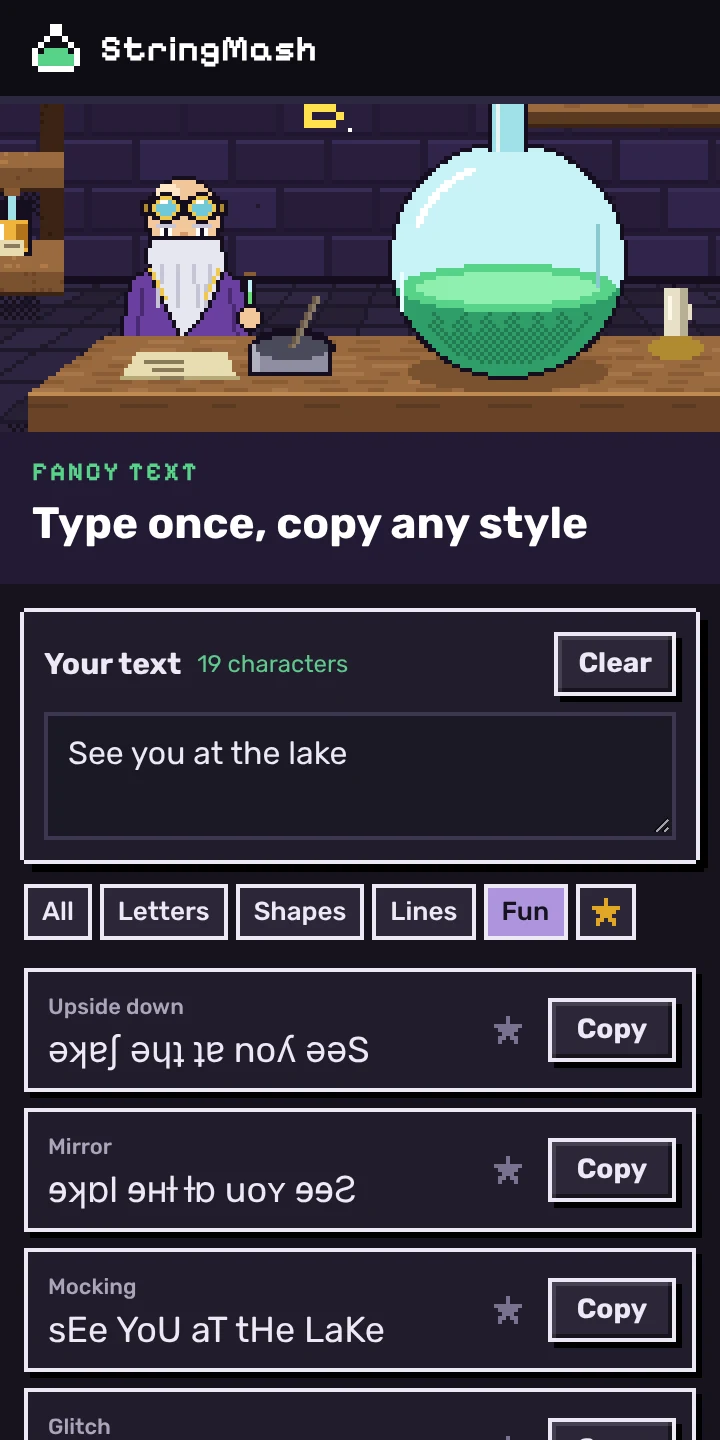
Click the flask in Chrome's toolbar and the panel opens beside whatever you're writing in. Type at the top and every style updates underneath as you go. Press Copy, or click the styled text itself, then paste it into the bio or chat you were in.
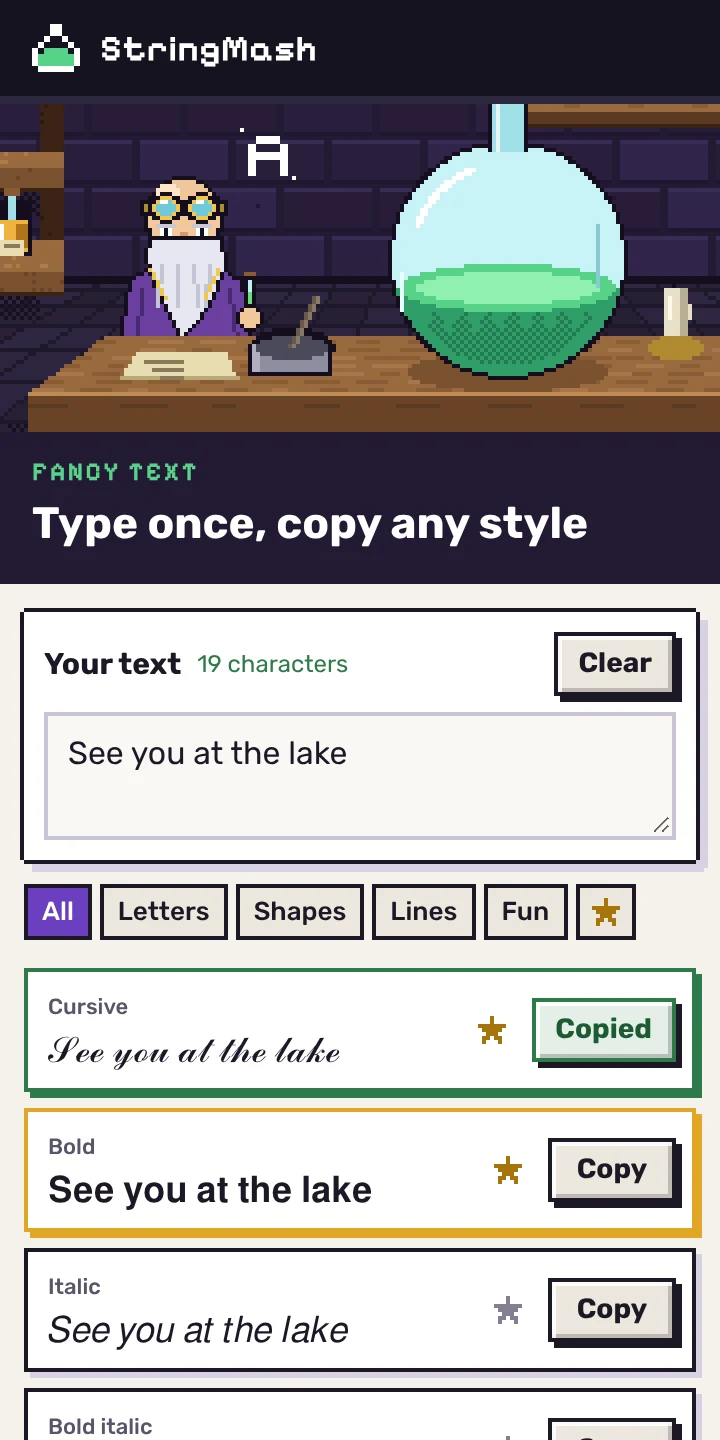
Get Fancy Text
It's free, with no ads, no account and nothing to buy. It needs Chrome 116 or later on a computer, since phones don't have the side panel. On a phone, the fancy text page does the same job in the browser.
Coming soon to the Chrome Web Store.
Finding the one you want
There's no menu of style names to guess from. Gothic means little until you see your own words in it, so the panel shows all 21 at once and you scroll until one looks right.
Star the ones you use and they move to the top, for next time. The filters along the top narrow the list to letter styles, shapes like bubbles and small caps, lines through or under the text, or the fun ones. The text box stays pinned while you scroll, so you can change a word from the bottom of the list.
The same letters as the website
The extension runs the same code as the style pages here, so cursive in the panel and cursive on the cursive font generator are the same characters. That matters more than it sounds. Unicode's cursive alphabet has holes: the script H was encoded years earlier as ℋ (U+210B), the Hamiltonian from physics, and isn't repeated in the run where the other capitals live. A generator that skips it hands you a box where the H should be. Ours fills each of those holes with the letter Unicode points to.
None of the styles is a font, which is why they paste into places with no bold button. Each letter is swapped for a different character. Screen readers read them out as symbols, letter by letter, so keep names and anything important plain.
Your text stays on your computer
Fancy Text makes no network requests. The conversion happens inside the extension. Your starred styles stay in Chrome's storage on your computer, and the text you're working on is forgotten when you quit Chrome.
It asks Chrome for two permissions. Side panel lets it open there, and storage lets it remember your stars. It can't see the pages you visit. The Fancy Text section of our privacy page has the rest.
Questions
Will it work on Instagram, TikTok and Discord?
Mostly. Bold, italic, cursive and bubble letters paste almost anywhere that accepts emoji. Some sites strip the combining marks that strikethrough, underline and cursed text depend on, and a few username fields only accept plain letters.
Why are some letters left plain?
Unicode doesn't have every letter in every style. Italic, cursive, gothic and small caps have no digits at all. Those characters are kept as you typed them, and the panel notes any letter a style couldn't change.
Can I share it with a friend?
Yes. Near the bottom of the panel, Share opens your computer's share menu where Chrome has one, Copy link copies a short message with a link to this page, and Email it starts an email.
Added and reviewed . What's new